

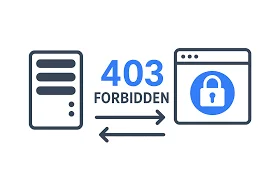
In today’s digital-first world, website accessibility and security play a crucial role in user experience and online credibility. One of the most common issues faced by website owners and users alike is the 403 Forbidden error. This error occurs when a server understands a request but refuses to authorize it. While it may appear simple on the surface, the underlying causes of a 403 Forbidden error can vary widely and require careful attention.
A 403 Forbidden error typically indicates that a user does not have permission to access a particular page or resource. Unlike a 404 error, which means the page does not exist, a 403 error confirms that the page exists but access is restricted. This can negatively impact user trust, SEO rankings, and overall site performance if not addressed promptly.
Common Causes of the 403 Forbidden Error
There are several reasons why a website might display a 403 Forbidden error. One of the most common causes is incorrect file or folder permissions. If permissions are set too restrictively, the server may block legitimate access requests. Another frequent cause is a misconfigured .htaccess file, which controls access rules on many web servers.
IP blocking is another reason behind this error. Website administrators sometimes block specific IP addresses or regions for security purposes, which can unintentionally restrict valid users. Additionally, missing index files, broken authentication settings, or issues with content delivery networks (CDNs) can also trigger a 403 error.
Cybersecurity measures such as firewalls and security plugins are essential, but overly aggressive settings may result in blocked access. Staying informed about technology trends and digital security practices through trusted platforms like TechBullion’s technology insights can help businesses strike the right balance between protection and accessibility.
How the 403 Forbidden Error Affects SEO and User Experience
From an SEO perspective, persistent 403 errors can be harmful. Search engines may interpret restricted access as a signal of poor site quality or mismanagement, leading to reduced crawlability and lower rankings. For users, encountering a 403 error can be frustrating and may drive them away from the website permanently.
Businesses that rely on digital platforms—especially in industries like e-commerce, finance, and SaaS—cannot afford such disruptions. Ensuring proper access control and maintaining server configurations are essential steps in delivering a seamless user experience.
Effective Ways to Fix a 403 Forbidden Error
Fixing a 403 Forbidden error begins with identifying its root cause. Website owners should start by checking file and directory permissions, ensuring they are set correctly. Reviewing and resetting the .htaccess file can also resolve many access-related issues.
If IP blocking is suspected, server logs should be examined to determine whether legitimate users are being restricted. Clearing browser cache, disabling faulty plugins, or adjusting firewall settings may also help restore access.
For businesses operating in regulated or tech-driven sectors, especially financial services, understanding how security protocols interact with accessibility is critical. Keeping up with financial technology innovations and fintech news can provide valuable insights into secure yet user-friendly digital infrastructure.
Best Practices to Prevent 403 Forbidden Errors
Prevention is always better than cure. Regular website audits, proper user role management, and routine server maintenance can significantly reduce the risk of 403 errors. It is also important to ensure that security tools are configured correctly and updated regularly.
Website owners should implement custom 403 error pages that guide users instead of leaving them at a dead end. This approach not only improves user experience but also helps retain visitors who might otherwise leave the site.
Monitoring tools and analytics can further help detect access issues early. By combining proactive security strategies with performance optimization, businesses can maintain a reliable and trustworthy online presence.
Conclusion
The 403 Forbidden error is more than just a technical inconvenience—it is a signal that access controls need attention. Whether caused by permission settings, security tools, or server misconfigurations, addressing this error promptly is essential for maintaining website health, SEO performance, and user trust.
By understanding its causes, applying effective fixes, and staying informed about evolving digital and security trends, website owners can ensure uninterrupted access while maintaining strong protection. A well-managed website not only avoids errors but also builds long-term credibility in an increasingly competitive digital landscape.
